Package room camera planning
Package Room Camera Placement Guide NYC
Package rooms create a specific camera challenge: the footage has to show delivery, placement, pickup, and movement without leaving blind spots around shelves, lockers, mailboxes, or doors.
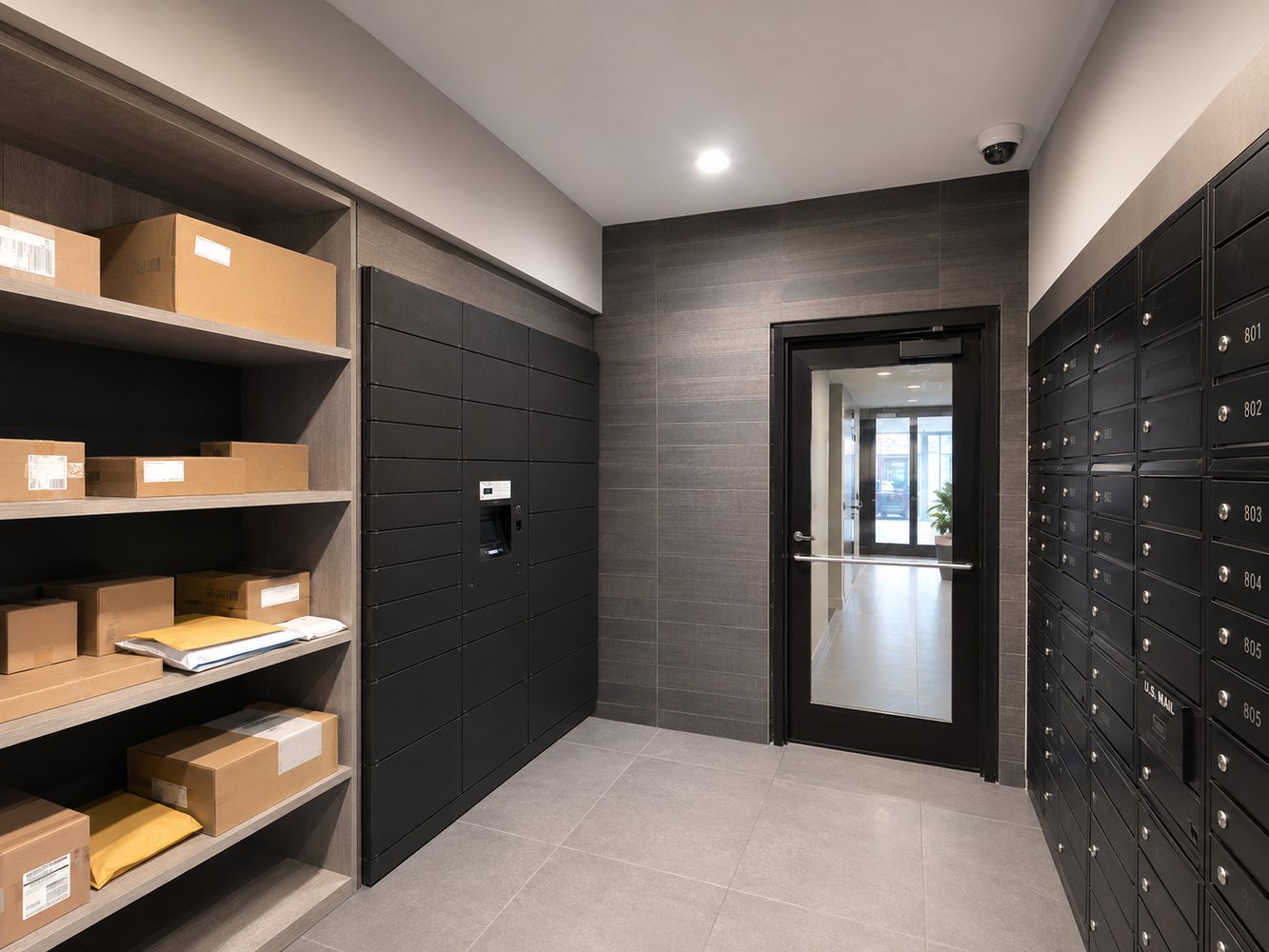
What Good Package Room Footage Needs to Show
A package room camera system should help answer four basic questions: who entered, what was delivered, where it was placed, and who removed it. That usually means combining an entry view with a wide room view and, for larger rooms, a second angle focused on shelves, lockers, or mailboxes.
If the room uses access control, the camera system should be planned so managers can match entry events with useful video playback.
Common Package Room Camera Mistakes
Most missing-package disputes become harder to resolve when the camera angle is too high, too wide, too dark, or pointed at the wrong part of the room.
Only watching the door
Door coverage is important, but it may not show where packages were placed or what happened after delivery.
Too much ceiling
A camera aimed too high can miss faces, labels, shelves, and the real pickup activity property managers need to review.
Blind shelves
Tall shelves, lockers, or columns can block views. A second camera angle may be needed in deeper rooms.
Poor lighting
Package rooms need enough light for usable playback. Low-light camera choice and fixture placement matter.
No access policy
Managers should know who can access live view, playback, exports, and incident footage.
Short storage
If footage is overwritten too quickly, missing-package reports may come in after the useful video is already gone.
Best Package Room Setup for Managed Buildings
- One camera capturing the entry door and reader
- One wide room view showing shelves or lockers
- Enough storage for delayed package complaints
- Remote viewing for approved managers or owners
- Clear camera names such as Package Room Door and Package Room Shelves
- Access control integration when entry accountability matters
Related Building Security Pages
Package room cameras work best as part of the wider building camera and access plan.
Package Room Camera FAQs
Common questions from NYC property managers and building owners.
Where should cameras be placed in an apartment building package room?
Package room cameras should usually show the entry door, package drop-off area, shelves or lockers, mailboxes when relevant, and the path people use when picking up packages.
How many cameras does a package room need?
Small package rooms may need one or two well-placed cameras. Larger package rooms, mailrooms, or locker areas may need multiple cameras to avoid blind spots.
Can package room cameras help with missing package claims?
Yes, when placement is planned correctly. Useful footage should show who entered, where packages were placed, and who removed items.
Should package room cameras work with access control?
Often, yes. Cameras and access control together can help property managers review who entered the package room and what happened inside.
Need better package room camera coverage?
Send the building type, borough, package room layout, current cameras, and whether the room has access control.